Best Software for Mixing and Mastering Indie Tracks: A Practical Guide
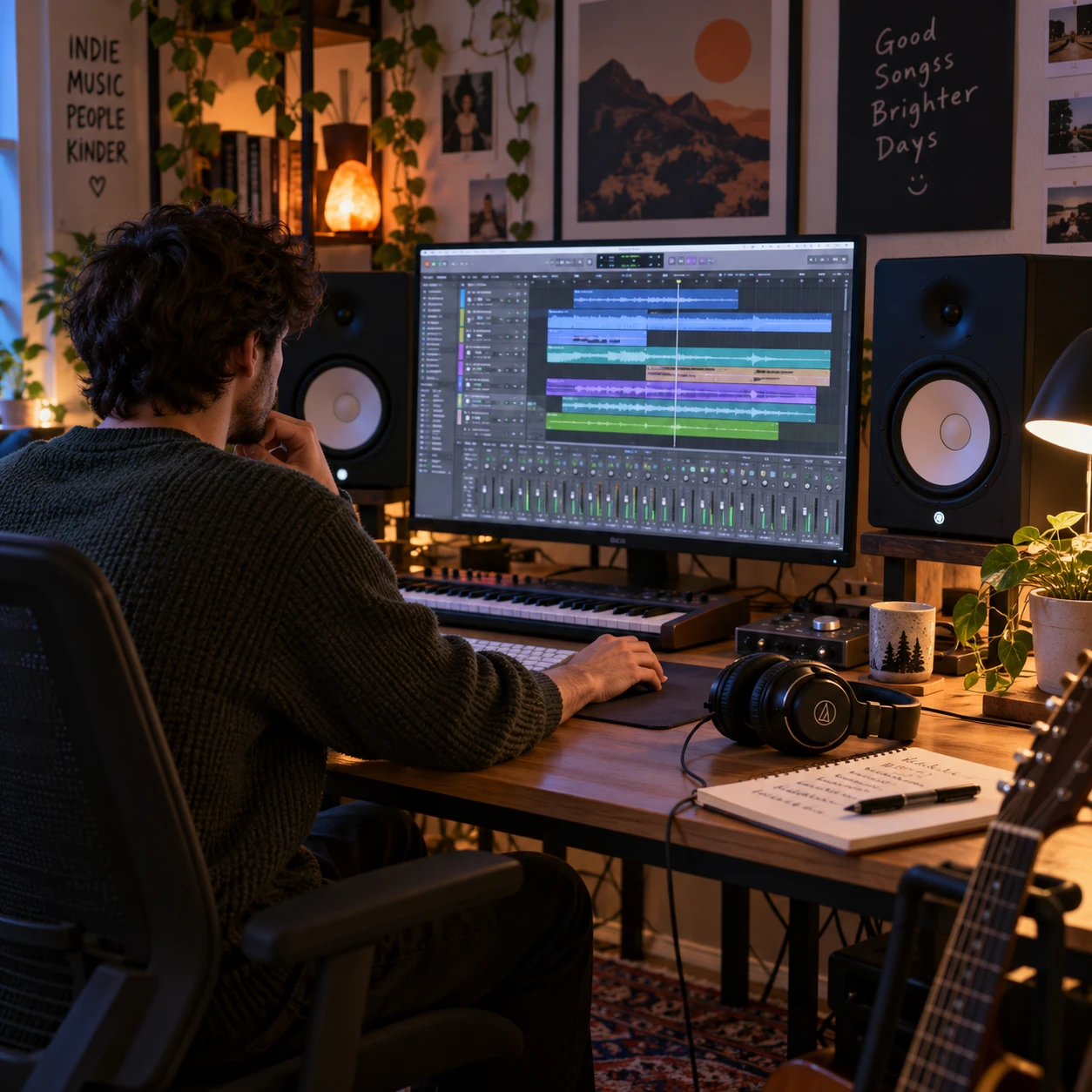
The best software for mixing and mastering indie tracks is the software that suits your music, computer, budget, and working style. A capable digital audio workstation (DAW) can handle both stages, while dedicated mastering tools may add useful analysis and finishing features.
For most independent musicians, a reliable DAW, a few well-chosen plugins, and a way to monitor sound consistently are a better starting point than an expensive collection of software. The key is knowing what mixing and mastering each involve, then choosing tools that support those jobs without slowing you down.
What indie musicians need from mixing and mastering software
Indie musicians need mixing and mastering software that makes it easy to balance recorded parts, shape tone, control dynamics, and prepare a finished track for release. The DAW is the central workspace; plugins provide processing such as EQ, compression, reverb, and delay.
Mixing is the process of making individual tracks work together. You adjust levels and panning, use equalization (EQ) to shape frequency balance, apply compression to manage dynamics, and add effects to create space and character. A mix can be technically clean while still preserving the rough edges or intimacy that suit an indie arrangement.
Mastering works on the completed stereo mix. It may involve small tonal or dynamic adjustments, checking the track against other releases, and setting levels for delivery. It cannot reliably repair problems such as muddy vocals, a buried guitar, or excessive compression in the mix. Return to the mix session for those issues when possible.
A practical setup should let you:
- Record, edit, and arrange audio and MIDI without unnecessary friction.
- Route tracks and buses clearly, including sends for shared reverb or delay.
- Use stock plugins or compatible third-party plugins for core processing.
- Check loudness and export the format required by your distributor or collaborator.
Software is only one part of the decision. An audio interface, headphones, and studio monitors affect what you hear, and an untreated room can make low frequencies difficult to judge. That does not make home mixing impossible; it means checking decisions on more than one playback system is sensible.
DAWs for mixing indie tracks
A DAW for mixing indie tracks should offer stable editing, flexible routing, dependable automation, and the plugins you need for everyday work. Most established DAWs can produce release-ready mixes, so workflow and compatibility matter more than brand name.
When comparing software, look at how quickly you can move from recording to editing and mixing. Some musicians prefer a straightforward interface with a short learning curve; others want detailed routing, automation, and customization for complex sessions. Try a demo or a bundled version with a real project before committing.
Check for these practical features:
- Track editing: trimming, fades, comping, and timing adjustments that suit your recording habits.
- Routing: buses and sends for grouping drums, backing vocals, or guitars, and sharing effects without duplicating plugins.
- Automation: control over volume, panning, and effects across a song, especially for changing vocal or instrumental sections.
- Plugin support: compatibility with the formats and third-party plugins you already use, plus useful built-in EQ and compression.
- System fit: reliable performance on your operating system and computer, including enough capacity for your typical track count.
A large plugin library can look appealing, but it may not improve a mix if you are still learning gain staging or arrangement balance. Start with the stock tools. Add a specialist plugin when you can name the problem it solves, such as controlling harshness or shaping a distinctive reverb tail.
Also consider session portability. If you collaborate with a producer or bandmate, confirm that you can share audio files, project files, and plugin settings in a format they can open. A simple, clearly named session often saves more time than a complicated template.
Software for mastering your tracks
Mastering software helps you make final adjustments to a stereo mix, check levels, and create delivery files; it is optional if your DAW already provides the tools you need. A dedicated mastering application can make the process more focused, but it does not replace a balanced mix or reliable listening.
Many DAWs support a separate mastering session, where you import the final stereo mix and use a small chain of processors. Typical tools include EQ, gentle compression, limiting, a loudness meter, and a true-peak meter. A dedicated mastering program may add a streamlined interface, sequencing tools for an album, or specialized metering. Those features are valuable for some workflows, not mandatory for every single.
Keep the processing goal modest. If a limiter is working hard to make a track louder, listen for flattened transients, pumping, or a loss of vocal clarity. Loudness targets vary by platform and release context, so avoid chasing one number as a guarantee of better sound. Check current delivery specifications from the service or label receiving your files.
For a useful comparison, level-match the processed and unprocessed versions. A louder version often seems better at first, even when it has lost punch or balance. If a mastering adjustment only sounds preferable because it is louder, reconsider it.
Before export, confirm the requested sample rate, bit depth, file type, and any peak or loudness requirements. WAV is commonly used for high-quality delivery, while other formats may be requested for specific uses. Keep an unprocessed copy of the final mix so you can revise the master without rebuilding the session.
Free, bundled, and paid options
Free and bundled software can be enough to record, mix, and master indie tracks, particularly when you are learning or working with a modest setup. Paid software may offer a smoother workflow or specialized features, but price alone does not determine audio quality.
Start by checking what is already available with your computer, audio interface, or recording equipment. Bundled DAWs and plugins can include recording, editing, EQ, compression, and time-based effects. Free applications may also cover the basics, though you should check operating-system support, project portability, plugin compatibility, and whether the version has restrictions that affect your work.
A sensible budget framework is to spend in this order:
- Get a dependable core DAW. Choose one you can learn and use consistently, whether free, bundled, or paid.
- Improve monitoring and room understanding. A new plugin will not fix a mix decision made on headphones that hide an important frequency problem.
- Buy tools to solve repeat problems. Consider a paid plugin or mastering tool only when your stock setup cannot handle a task efficiently.
The trade-off with free software is often convenience or support, not an automatic ceiling on sound quality. Paid suites can save time, but they can also add complexity and recurring costs. For an indie musician with a small project, learning a few stock plugins well may be more useful than maintaining a large collection.
How to choose software for your setup
Choose mixing and mastering software by matching your experience, computer, workflow, and monitoring setup to the tasks you actually do. The right choice should make your next project easier to finish, not simply add more options.
Use this quick decision process:
- If you are new to recording: favor a clear interface, a useful set of stock plugins, and accessible tutorials. Avoid buying tools before you know what your current DAW cannot do.
- If you record a band: prioritize track management, editing, low-latency monitoring, and dependable routing for many microphones and instruments.
- If you make layered or electronic indie music: check MIDI tools, automation, sample handling, and how well the DAW manages instrument plugins.
- If you collaborate: confirm that project exchange, audio export, and plugin formats fit the people you work with.
- If your computer is older: test a real session before buying. Large sample libraries and demanding plugins can strain a system even when the DAW itself runs well.
Give monitoring equal attention. Headphones can reveal clicks, edits, and vocal details, while studio monitors help you judge how parts sit together in a room. Neither is automatically accurate in every setup. Learn how familiar commercial tracks sound on your equipment, then check your own mix on earbuds, a car system, or ordinary speakers.
A short trial project is a better test than browsing feature lists. Import a few stems, create a vocal bus, add reverb on a send, automate a chorus, and export a test file. If those everyday tasks feel clear and stable, the software is likely a practical fit.
A simple home mixing and mastering workflow
A simple home workflow moves from session cleanup to balance, processing, reference checks, and final export. Keeping the steps in order helps you avoid polishing details before the arrangement and levels work.
- Prepare the session. Name tracks clearly, remove unused takes, check edits and fades, and organize related parts into buses. Leave headroom rather than pushing every channel near its limit.
- Build a rough balance. Set track levels and panning before reaching for plugins. Listen for whether the vocal, rhythm section, and main musical idea are clear at a comfortable playback level.
- Use processing with a purpose. Apply EQ to reduce masking or shape tone, compression to manage dynamic changes, and reverb or delay to create depth. Compare each plugin bypassed and active at a similar loudness.
- Check the full song. Listen from beginning to end for changes in energy, vocal intelligibility, harshness, and low-end balance. Compare with references at matched levels, not simply by turning the reference up.
- Master a stereo mix. Use a separate session if it helps you focus. Make restrained adjustments, check loudness and true peaks, and revisit the mix if the master needs heavy correction.
- Export and verify. Use the requested format and settings, then play the exported file from start to finish. Check the beginning, ending, fades, and any notes from the receiving platform or collaborator.
Make one change at a time and take breaks when your ears feel tired. A decision that seems obvious after hours of listening may sound different the next morning. Save alternate versions when testing a significant mix or master change, and label them clearly.
Frequently asked questions
The common questions are whether one DAW can do both jobs, whether free tools are adequate, and what to verify before delivery. In most cases, a capable DAW and careful listening are enough to begin.
Can I mix and master in the same DAW?
Yes. You can mix multitrack audio and master the resulting stereo file in the same DAW, ideally in a separate session or project. The separation encourages you to judge the finished mix on its own rather than continually changing individual tracks during mastering.
Is free software enough for indie tracks?
Often, yes. Free or bundled software can provide recording, mixing, effects, and export tools. The main limits may be workflow, support, or compatibility, so check those before you build a project around a particular application.
Do I need separate mastering software?
No. Separate mastering software is useful when its metering, album sequencing, or focused layout helps your process. If your DAW has the processors and measurement tools you need, a separate application may add little.
What should I check before exporting a track?
Confirm the requested file format, sample rate, bit depth, channel layout, and any peak or loudness requirements. Then listen to the exported file from beginning to end and make sure it has the correct title, start point, and fade. Keep the final mix and master versions clearly labeled.